


SingUp: AI Music Generator
3.5901.00 Reviews
App Specs
- Version
- 2.19.1
- Updated On
- License
- Free
- Downloads
- 100,000+
- Developer
- TALENT ME TECH.
- Categories
- Music & Audio
- Platform
- Android
Screenshots
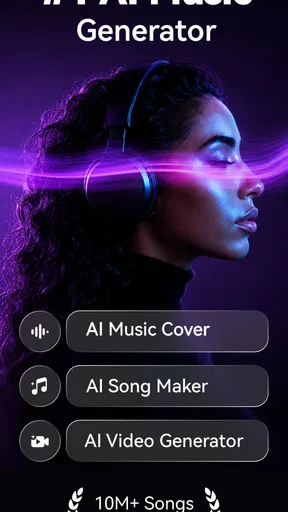
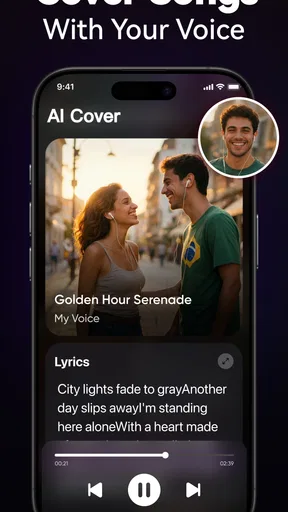
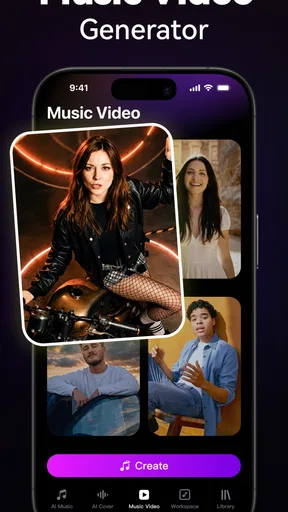
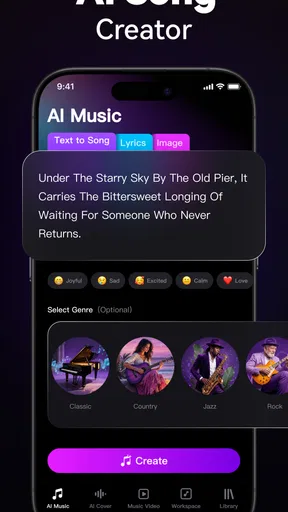
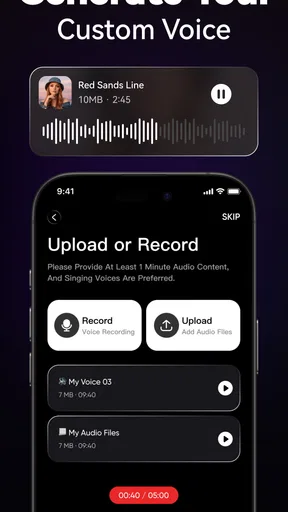
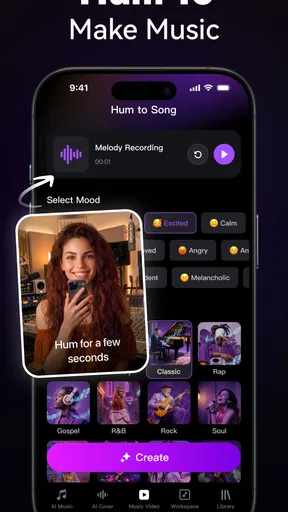
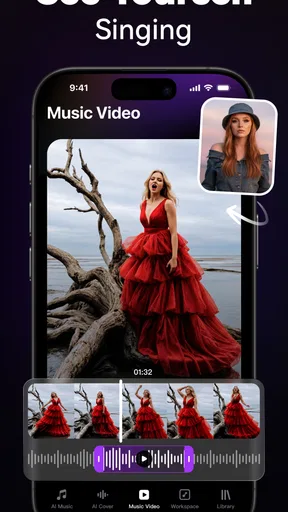
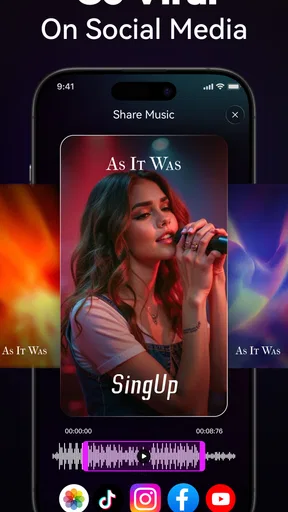
 Analysis by AppCompare
I see SingUp Music: AI Cover Songs as a playful way to explore how a familiar song might sound with a different voice or musical character. It is a music and audio app from TALENT ME TECH., aimed at people who want to experiment with AI-generated covers rather than record and produce every part themselves. The idea is appealing, but the experience depends on more than the novelty of a transformation: a stable connection, realistic expectations about the output, and patience when a result does not match the version in your head all matter.
When the connection becomes part of the process
AI cover creation is not the same as pressing play on a track already saved on a phone. A request has to be handled before there is a finished result to hear, so I would plan to use the app when I have a dependable internet connection rather than assume every stage will work anywhere. That makes a difference if I am travelling, moving between weak Wi-Fi and mobile data, or trying to create something during a short break.
I would also separate browsing and choosing from the moment I actually want to generate a cover. Thinking through the song and the kind of voice or style I want before starting helps avoid repeated, impulsive attempts when the connection is slow. The useful habit is simple: treat generation as a small creative session, not as an instant filter that must respond at once.
Good fits for a phone, and less convenient ones
The app makes most sense for casual listening experiments, sharing a playful result with friends, or testing a musical idea before deciding whether it is worth developing elsewhere. A person who enjoys hearing contrasts—such as a familiar melody with a different vocal identity—can get something entertaining from a few minutes of exploration. You do not need to be a singer to enjoy that kind of musical what-if.
It is less suited to someone who needs a dependable, polished vocal track for a release, a performance, or a time-sensitive project. AI interpretation can be uneven, and the original piece may contain layered vocals or complicated phrasing that is difficult to reproduce convincingly. If I needed precise control over every note, timing choice, and recording layer, I would reach for a conventional audio workstation or work with a human vocalist instead.
A realistic everyday use would be sharing a song idea in a group chat after work: I could try a contrasting treatment, listen for the moments that work, then send the result as a conversation starter. I would not make the group wait while I repeatedly regenerate it on a patchy commute. The app is more enjoyable when the goal is amusement and discovery, not a guaranteed version on a deadline.
Making a cover on a mobile connection
On a phone, small interruptions can change the feel of a creative app. A call, switching apps, or moving out of reliable coverage may break the rhythm of choosing and reviewing a result. I would keep the app in the foreground while a generation is underway and avoid starting a new attempt just because the first one is taking longer than expected. That is practical patience, not a claim that every interruption will cause a failure.
Worth Reading Before You Choose

Baby Panda World Brings Quick Play to Modern Phones, but Its Game Library Feels Busy

ESPN’s Live Game View Makes Following Close Games Easier

QuizzLand Review: A Good Fit for Short Trivia Breaks, Not Every Player

Basketball Stars: Multiplayer Is Fast, but Can It Recover When Matches Go Wrong?

WEBTOON Turns Phone Updates Into a Better Reading Routine

Link to Windows Runs on Shared Habits, Not Social Feeds
It is also worth deciding in advance what counts as a successful result. If I am trying to compare vocal character, I can listen for whether the phrasing and tone suit the song; if I am just sharing something funny, a slightly imperfect rendition may be part of the appeal. A clear aim prevents me from spending time and connectivity chasing an abstract idea of perfection.
What to do when a request stalls
If a cover does not appear promptly, I would first check whether the phone still has a reliable connection, then give the current request time to finish before trying again. Repeating the same action immediately can make it harder to tell whether the issue was temporary network trouble or simply a result that needs more processing. If I have changed networks, I would wait until the connection is steady before making another attempt.
Recovery is also about keeping expectations measured. A result that sounds off does not necessarily mean the whole app is unusable; the chosen song may simply be a poor match for the sort of transformation I want. I would try a different musical idea rather than endlessly adjusting one difficult example. For more intricate vocal arrangements, a conventional cover recording or a dedicated production tool is often the more predictable route.
Using data deliberately
Because creating and sharing audio can involve online activity, I would avoid treating mobile data as unlimited by default. If I am on a metered plan, I would save experiments for Wi-Fi and reserve mobile use for a result I genuinely want to make or send. That is a sensible precaution for any app built around creating and exchanging media, without assuming a particular file size or data allowance.
Sharing is part of the fun, but I would listen through a cover before sending it beyond close friends. That quick check helps me catch an awkward vocal moment and decide whether the result suits the audience. If the app offers choices during creation, making one deliberate selection at a time is more useful than changing several variables together: it makes comparisons easier and avoids spending connectivity on experiments whose results are hard to interpret.
How it compares with familiar music tools
Compared with a streaming app, this is about changing or reimagining a song rather than simply finding and playing a finished recording. Compared with a conventional recording app, the appeal is that AI does much of the vocal transformation, while the trade-off is less direct control over the performance. A full production tool is better when detailed editing and repeatable results matter; a streaming service is better when all I want is reliable listening. This sits between those uses as a lightweight creative diversion.
The difference matters for expectations. I would not choose it as a substitute for learning to sing, editing a multitrack session, or commissioning a carefully performed cover. I would choose it when curiosity is the point and I am happy to judge a result as an experiment. That is a narrower purpose than general music playback, but it gives the app a clear reason to exist for the right listener.
There is a practical cost consideration too: the app is free to install, with in-app purchases listed from $4.99 to $39.99 per item. I would explore the basic experience first and only consider paying if I had a specific reason to continue using the paid options. Its Everyone age rating makes the audience broad, but I would still use ordinary care when sharing generated material and follow the app’s own prompts and terms.
SingUp Music has a 3.1 average from around 2,600 ratings, alongside roughly 871 written reviews, and has been installed over 100,000 times. I read that as a reason to approach it with balanced expectations rather than assume every user will get the same quality from every song. Its current version is 2.11.0, and it requires Android 8.0 or later. Those details make it easier to judge whether it fits your device and whether you are comfortable trying an app whose appeal is experimental rather than essential.
For me, the best way to use it is to pick a song that invites a playful reinterpretation, start when the connection is steady, and treat the output as something to enjoy or share—not as a finished studio performance. People who like quick musical surprises may find that satisfying. Anyone who needs offline certainty, tightly controlled editing, or professional consistency should choose a different tool. Connectivity does not erase the app’s creative appeal, but it does shape when and how comfortably that appeal comes through.
Diving into SingUp Music was as smooth as hitting play on your favorite track. The download was quick and the installation, a breeze. Right off the bat, the app greets you with a sleek, user-friendly interface that feels intuitive even for the tech-challenged. You get a neat dashboard with all the options laid out clearly. Whether you’re here to create, explore, or just have fun, navigation is a walk in the park.
Features that Hit the Right Note
What really sets this app apart is its ability to transform anyone into a cover singer. With the power of AI, you can select your favorite songs and have the app generate cover versions in different styles or even voices. Feel like hearing “Bohemian Rhapsody” in a jazzy tune or with a country twist? This app has you covered. The AI’s precision in mimicking different styles and voices is genuinely impressive.
Another cool feature is the sharing option. Once your masterpiece is ready, you can easily share it with friends or on social media. It’s a blast seeing people’s reactions to your AI-generated covers!
Playing with AI and Music
The AI technology at work in this app is nothing short of remarkable. It analyzes the song and applies intricate algorithms to give you the cover you never knew you needed. The learning curve is practically non-existent, making it accessible for everyone. It’s like having a virtual band in your pocket, always ready to jam.
The app also offers a variety of customization options. You can tweak settings to adjust the tempo, pitch, and even the mood of the cover. It’s a playground for those who love to experiment with sound and style.
Experience and Performance
During my time with SingUp Music, I found the app’s performance to be quite reliable. There weren’t any noticeable lags or crashes, which is a huge plus. The rendering of cover songs was swift, and the sound quality was crisp and clear. The app doesn’t bombard you with ads, maintaining a seamless user experience. However, if you want to unlock more advanced features, there is a premium version available.
One thing I did notice is that while the AI is impressively accurate, it sometimes struggles with more complex vocal arrangements. But hey, nobody’s perfect, right?
Final Thoughts
If you're looking for an app that combines technology with creativity, SingUp Music: AI Cover Songs is a must-try. It’s fun, innovative, and has a lot to offer for both casual users and music enthusiasts alike. Whether you’re in it for the giggles or serious about creating unique covers, this app provides a delightful experience. So, give it a whirl and let the AI serenade you into a new world of musical possibilities!
Pros
- Easy to navigate interface.
- High-quality audio output.
- Variety of song genres available.
- Quick processing time.
- AI-generated covers are unique.
Cons
- Limited free version features.
- Occasional AI glitches.
- Requires stable internet connection.
- In-app purchases can be expensive.
- Some popular songs missing.
FAQs for SingUp: AI Music Generator
What is SingUp Music: AI Cover Songs?
SingUp Music: AI Cover Songs is an innovative application that utilizes artificial intelligence to let users create unique cover versions of songs. It allows users to input their own voice or choose from various available voices, generating personalized covers with a professional touch. It's an exciting tool for music enthusiasts looking to explore their creativity.
Is SingUp Music easy to use for beginners?
Yes, SingUp Music is designed with user-friendliness in mind. The interface is intuitive, allowing even those with minimal technical skills to navigate effortlessly. With clear instructions and easy-to-follow steps, users can create their first AI-generated cover song quickly. The app also offers tutorials and tips for beginners to maximize their experience.
Do I need a subscription to use SingUp Music?
SingUp Music offers both free and premium subscription options. While the free version provides basic features, the premium subscription unlocks advanced tools, additional voice options, and higher quality outputs. Users can choose a plan based on their needs and can try the premium features with a free trial before committing to a subscription.
What are the system requirements for SingUp Music?
SingUp Music is compatible with most modern Android and iOS devices. It requires at least Android 8.0 or iOS 12.0. The app is optimized to run smoothly, but for the best experience, users should ensure their device has adequate storage and processing power. Regular updates are released to enhance compatibility and performance.
Can I share my AI-generated cover songs from SingUp Music?
Yes, SingUp Music makes it easy for users to share their creations. The app includes direct sharing options to social media platforms like Instagram, Facebook, and TikTok. Additionally, users can save their songs locally or export them in various formats. This feature enables users to showcase their creativity to a broader audience effortlessly.


